Part 1: How to build a Chatbot with T3 Turbo & Gemini
Most founders get stuck in 'setup hell.' I just built a fully type-safe AI chatbot in an afternoon. Here's the exact stack—Next.js, tRPC, and Gemini—and the code to do it yourself.


Complexity is the silent killer of early-stage startups. You start with a simple idea—"I want a chatbot that talks like Tony Stark"—and three weeks later, you're still configuring Webpack, fighting with Docker containers, or debugging an authentication flow that nobody has used yet.
It's a trap I've seen brilliantly talented engineers fall into time and time again. We love our tools. We love optimizing. But in the startup game, shipping is the only metric that matters.
If you haven't looked at the modern TypeScript ecosystem lately, you might be surprised. The days of stitching together disparate APIs and praying they hold together are largely behind us. We've entered the era of the "Vibe Coder"—where the distance between an idea and a deployed product is measured in hours, not sprints.
Today, I'm going to walk you through a stack that feels like a cheat code: Create T3 Turbo combined with Google's Gemini AI. It's type-safe from the database to the frontend, it's ridiculously fast, and honestly, it brings the joy back into coding.
Why This Stack Matters
You might be thinking, "Feng, why another stack? Can't I just use Python and Streamlit?"
Sure, for a prototype. But if you're building a product—something that needs to scale, handle users, and maintain state—you need a real architecture. The problem is that "real architecture" usually means "weeks of boilerplate."
The T3 Stack (Next.js, tRPC, Tailwind) flips this script. It gives you the robustness of a full-stack application with the development speed of a script. When you add Drizzle ORM (lightweight, SQL-like) and Google Gemini (fast, generous free tier), you have a toolkit that lets a solo founder outmaneuver a team of ten.
Let's build something real.
Step 1: The One-Command Setup
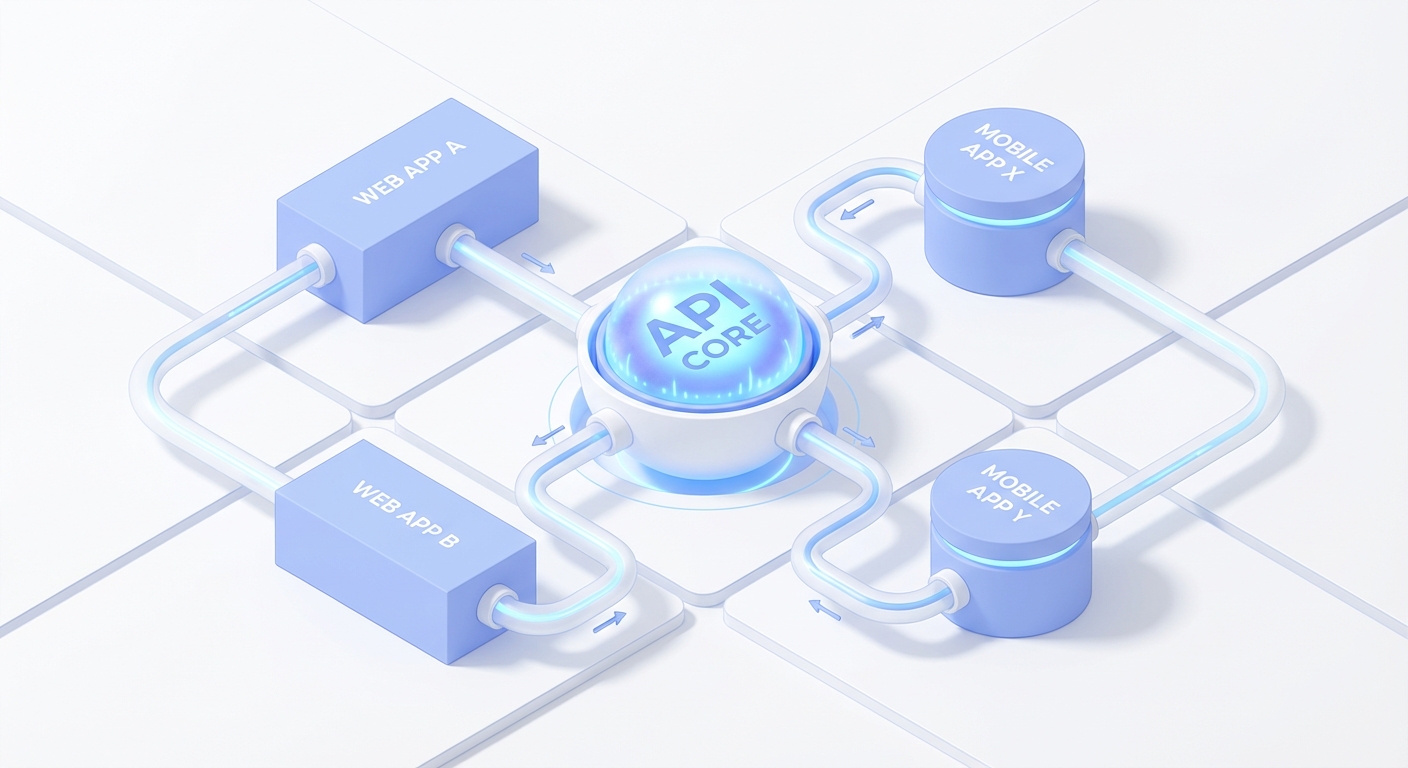
Forget manually configuring ESLint and Prettier. We're going to use create-t3-turbo. This sets up a monorepo structure which is perfect because it separates your API logic from your Next.js frontend, future-proofing you for when you inevitably launch a React Native mobile app later.
pnpm create t3-turbo@latest my-chatbot
cd my-chatbot
pnpm install
When asked, I selected Next.js, tRPC, and PostgreSQL. I skipped Auth for now because, again, we are optimizing for shipping, not perfecting. You can add NextAuth later in ten minutes.
The monorepo structure you get:
my-chatbot/
├── apps/nextjs/          # Your web app
├── packages/
│   ├── api/              # tRPC routers (shared logic)
│   ├── db/               # Database schema + Drizzle
│   └── ui/               # Shared components
This separation means your API logic can be reused across web, mobile, or even CLI apps. I've seen teams waste months refactoring because they started with everything in one folder.
Step 2: The Brain (Gemini)
OpenAI is great, but have you tried Gemini Flash? It's incredibly fast and the pricing is aggressive. For a chat interface where latency kills the vibe, speed is a feature.
Why Gemini Flash over GPT-3.5/4?
- Speed: ~800ms vs 2-3s response time
- Cost: 60x cheaper than GPT-4
- Context: 1M token context window (yes, one million)
We need the AI SDK to make talking to LLMs standardized.
cd packages/api
pnpm add ai @ai-sdk/google
Set up your .env in the project root. Don't overthink the database locally; a local Postgres instance is fine.
POSTGRES_URL="postgresql://user:pass@localhost:5432/chatbot"
GOOGLE_GENERATIVE_AI_API_KEY="your_key_here"
Pro tip: Get your Gemini API key from https://aistudio.google.com/app/apikey. The free tier is absurdly generous—60 requests per minute. You'll hit product-market fit before you hit rate limits.
Step 3: Define Reality (The Schema)
Here is where Drizzle shines. In the old days, you wrote migrations by hand. Now, you define your schema in TypeScript, and the database obeys.
In packages/db/src/schema.ts, we define what a "Message" is. Notice how we use drizzle-zod? This automatically creates validation schemas for our API. This is the "Don't Repeat Yourself" principle in action.
import { pgTable } from "drizzle-orm/pg-core";
import { createInsertSchema } from "drizzle-zod";
import { z } from "zod/v4";

// Message table for chatbot
export const Message = pgTable("message", (t) => ({
  id: t.integer().primaryKey().generatedAlwaysAsIdentity(),
  role: t.varchar({ length: 20 }).notNull(), // 'user' or 'assistant'
  content: t.text().notNull(),
  createdAt: t.timestamp().defaultNow().notNull(),
}));

// Zod schema auto-generated from table definition
export const CreateMessageSchema = createInsertSchema(Message, {
  role: z.enum(["user", "assistant"]),
  content: z.string().min(1).max(10000),
}).omit({ id: true, createdAt: true });
Push it: pnpm db:push. Done. Your database now exists.
What just happened? Drizzle looked at your TypeScript definition and created the table. No SQL written. No migration files. This is the magic of schema-driven development.
If you want to verify, run: pnpm db:studio and you'll see a web UI at https://local.drizzle.studio with your message table sitting there, ready to receive data.
Step 4: The Nervous System (tRPC)
This is the part that usually blows people's minds. With REST or GraphQL, you have to define endpoints, types, and fetchers separately. With tRPC, your backend function is your frontend function.
We're creating a procedure that saves the user's message, grabs history (context is king in AI), sends it to Gemini, and saves the reply.
Create packages/api/src/router/chat.ts:
import type { TRPCRouterRecord } from "@trpc/server";
import { google } from "@ai-sdk/google";
import { generateText } from "ai";
import { z } from "zod/v4";

import { desc } from "@acme/db";
import { Message } from "@acme/db/schema";

import { publicProcedure } from "../trpc";

const SYSTEM_PROMPT = "You are a helpful AI assistant.";

export const chatRouter = {
  sendChat: publicProcedure
    .input(z.object({ content: z.string().min(1).max(10000) }))
    .mutation(async ({ ctx, input }) => {
      // 1. Save User Message
      await ctx.db
        .insert(Message)
        .values({ role: "user", content: input.content });

      // 2. Get Context (Last 10 messages)
      const history = await ctx.db
        .select()
        .from(Message)
        .orderBy(desc(Message.createdAt))
        .limit(10);

      // 3. Ask Gemini
      const { text } = await generateText({
        model: google("gemini-1.5-flash"),
        system: SYSTEM_PROMPT,
        messages: history.reverse().map((m) => ({
          role: m.role as "user" | "assistant",
          content: m.content,
        })),
      });

      // 4. Save AI Reply
      return await ctx.db
        .insert(Message)
        .values({ role: "assistant", content: text })
        .returning();
    }),

  getMessages: publicProcedure.query(({ ctx }) =>
    ctx.db.select().from(Message).orderBy(Message.createdAt),
  ),

  clearMessages: publicProcedure.mutation(({ ctx }) => ctx.db.delete(Message)),
} satisfies TRPCRouterRecord;
Register the router in packages/api/src/root.ts:
import { chatRouter } from "./router/chat";
import { createTRPCRouter } from "./trpc";

export const appRouter = createTRPCRouter({
  chat: chatRouter,
});

export type AppRouter = typeof appRouter;
Look at that flow. It's linear, readable, and fully typed. If you change the database schema, this code turns red immediately. No runtime surprises.
Why the .reverse()? We query messages in descending order (newest first) but LLMs expect chronological order (oldest first). It's a tiny detail that prevents confusing conversations.
Step 5: The Interface
In apps/nextjs/src/app/chat/page.tsx, we hook it up. Because we're using tRPC, we get React Query for free. useQuery handles the fetching, caching, and loading states without us writing a single useEffect for data fetching.
(I've included a useEffect only for scrolling to the bottom—because UX matters).
"use client";

import { useEffect, useRef, useState } from "react";
import { useMutation, useQuery, useQueryClient } from "@tanstack/react-query";
import type { RouterOutputs } from "@acme/api";
import { useTRPC } from "~/trpc/react";

export default function ChatPage() {
  const [input, setInput] = useState("");
  const [loading, setLoading] = useState(false);
  const endRef = useRef<HTMLDivElement>(null);

  const trpc = useTRPC();
  const queryClient = useQueryClient();

  // Automatic data fetching with caching
  const { data: messages } = useQuery(trpc.chat.getMessages.queryOptions());

  // Mutation with optimistic updates
  const sendMsg = useMutation(
    trpc.chat.sendChat.mutationOptions({
      onSuccess: async () => {
        await queryClient.invalidateQueries(trpc.chat.pathFilter());
        setInput("");
        setLoading(false);
      },
      onError: (err) => {
        console.error("Failed:", err);
        setLoading(false);
      },
    }),
  );

  // Auto-scroll to latest message
  useEffect(() => {
    endRef.current?.scrollIntoView({ behavior: "smooth" });
  }, [messages]);

  const handleSubmit = (e: React.FormEvent) => {
    e.preventDefault();
    if (!input.trim() || loading) return;
    setLoading(true);
    sendMsg.mutate({ content: input.trim() });
  };

  return (
    <div className="flex h-screen flex-col bg-gray-50">
      {/* Header */}
      <div className="border-b bg-white p-4">
        <h1 className="text-xl font-bold">AI Chat</h1>
      </div>

      {/* Messages */}
      <div className="flex-1 overflow-y-auto p-4">
        <div className="mx-auto max-w-4xl space-y-4">
          {messages?.map((m: RouterOutputs["chat"]["getMessages"][number]) => (
            <div key={m.id} className={m.role === "user" ? "text-right" : ""}>
              <div
                className={`inline-block rounded-2xl px-4 py-3 ${
                  m.role === "user"
                    ? "bg-blue-500 text-white"
                    : "bg-white border shadow-sm"
                }`}
              >
                <p className="whitespace-pre-wrap">{m.content}</p>
              </div>
            </div>
          ))}
          {loading && (
            <div className="flex gap-2">
              <div className="h-2 w-2 animate-bounce rounded-full bg-gray-400" />
              <div className="h-2 w-2 animate-bounce rounded-full bg-gray-400 [animation-delay:0.2s]" />
              <div className="h-2 w-2 animate-bounce rounded-full bg-gray-400 [animation-delay:0.4s]" />
            </div>
          )}
          <div ref={endRef} />
        </div>
      </div>

      {/* Input */}
      <form onSubmit={handleSubmit} className="border-t bg-white p-4">
        <div className="mx-auto flex max-w-4xl gap-2">
          <input
            value={input}
            onChange={(e) => setInput(e.target.value)}
            placeholder="Type your message..."
            className="flex-1 rounded-lg border px-4 py-3 focus:ring-2 focus:ring-blue-500 focus:outline-none"
            disabled={loading}
          />
          <button
            type="submit"
            disabled={!input.trim() || loading}
            className="rounded-lg bg-blue-500 px-6 py-3 font-medium text-white hover:bg-blue-600 disabled:bg-gray-300 disabled:cursor-not-allowed"
          >
            Send
          </button>
        </div>
      </form>
    </div>
  );
}
Don't forget the homepage. Update apps/nextjs/src/app/page.tsx:
import Link from "next/link";

export default function HomePage() {
  return (
    <main className="flex min-h-screen items-center justify-center bg-gradient-to-b from-blue-500 to-blue-700">
      <div className="text-center text-white">
        <h1 className="text-5xl font-bold">AI Chatbot</h1>
        <p className="mt-4 text-xl">Built with T3 Turbo + Gemini</p>
        <Link
          href="/chat"
          className="mt-8 inline-block rounded-full bg-white px-10 py-3 font-semibold text-blue-600 hover:bg-gray-100 transition"
        >
          Start Chatting
        </Link>
      </div>
    </main>
  );
}
Run pnpm dev and visit http://localhost:3000. Click "Start Chatting" and you have a working AI chatbot.
The magic of tRPC: Notice how we never wrote an API fetch? No fetch() calls, no URL strings, no manual error handling. TypeScript knows what sendMsg.mutate() expects. If you change the backend input schema, your frontend will throw a compile error. This is the future.
Step 6: Injecting Soul (The "Vibe" Check)
A generic assistant is boring. A generic assistant gets deleted. The beauty of LLMs is that they are excellent role-players.
I've found that giving your bot a strong opinion makes it 10x more engaging. Don't just prompt "You are helpful." Prompt for a personality.
Let's modify the backend to accept a persona. Update packages/api/src/router/chat.ts:
const PROMPTS = {
  default: "You are a helpful AI assistant. Be concise and clear.",
  luffy:
    "You are Monkey D. Luffy from One Piece. You're energetic, optimistic, love meat and adventure. You often say 'I'm gonna be King of the Pirates!' Speak simply and enthusiastically.",
  stark:
    "You are Tony Stark (Iron Man). You're a genius inventor, witty, and sarcastic. You love technology and often mention Stark Industries. Call people 'kid' or 'buddy'. Be charming but arrogant.",
};

export const chatRouter = {
  sendChat: publicProcedure
    .input(
      z.object({
        content: z.string().min(1).max(10000),
        character: z.enum(["default", "luffy", "stark"]).optional(),
      }),
    )
    .mutation(async ({ ctx, input }) => {
      // Pick the personality
      const systemPrompt = PROMPTS[input.character || "default"];

      await ctx.db
        .insert(Message)
        .values({ role: "user", content: input.content });

      const history = await ctx.db
        .select()
        .from(Message)
        .orderBy(desc(Message.createdAt))
        .limit(10);

      const { text } = await generateText({
        model: google("gemini-1.5-flash"),
        system: systemPrompt, // ← Dynamic prompt
        messages: history.reverse().map((m) => ({
          role: m.role as "user" | "assistant",
          content: m.content,
        })),
      });

      return await ctx.db
        .insert(Message)
        .values({ role: "assistant", content: text })
        .returning();
    }),

  // ... rest stays the same
};
Update the frontend to pass the character selection:
// In ChatPage component, add state for character
const [character, setCharacter] = useState<"default" | "luffy" | "stark">("default");

// Update the mutation call
sendMsg.mutate({ content: input.trim(), character });

// Add a dropdown before the input:
<select
  value={character}
  onChange={(e) => setCharacter(e.target.value as any)}
  className="rounded-lg border px-3 py-2"
>
  <option value="default">🤖 Default</option>
  <option value="luffy">👒 Luffy</option>
  <option value="stark">🦾 Tony Stark</option>
</select>
Now you haven't just built a chatbot; you've built a character interaction platform. That's a product.
The Technical Details You Actually Care About
Why not just use Prisma?
Prisma is great, but Drizzle is faster. We're talking 2-3x query performance. When you're a solo founder, every millisecond compounds. Plus, Drizzle's SQL-like syntax means less mental overhead.
What about streaming responses?
The Vercel AI SDK supports streaming out of the box. Replace generateText with streamText and use useChat hook on the frontend. I skipped it here because for a tutorial, request/response is simpler. But in production? Stream everything. Users perceive streaming as "faster" even when total time is the same.
Context window management
Right now we're grabbing the last 10 messages. That works until it doesn't. If you're building a serious product, implement a token counter and dynamically adjust history. The AI SDK has utilities for this.
import { anthropic } from "@ai-sdk/anthropic";

const { text } = await generateText({
  model: anthropic("claude-3-5-sonnet-20241022"),
  maxTokens: 1000, // Control costs
  // ...
});
Database connection pooling
Local Postgres is fine for dev. For production, use Vercel Postgres or Supabase. They handle connection pooling automatically. Serverless + database connections is a trap—don't manage it yourself.
Practical Takeaways
If you're reading this and feeling the itch to code, here is my advice:
- Don't start from scratch. Boilerplate is the enemy of momentum. Use T3 Turbo or similar scaffolding.
- Type safety is speed. It feels slower for the first hour, and faster for the next ten years. It catches the bugs that usually happen during a demo.
- Context is key. A chatbot without history is just a fancy search bar. Always pass the last few messages to the LLM.
- Personality > features. A bot that sounds like Tony Stark will get more engagement than a generic bot with 10 extra features.
The Messy Reality
Building this wasn't all smooth sailing. I initially messed up the database connection string and spent 20 minutes wondering why Drizzle was shouting at me. I also hit a rate limit on Gemini because I was sending too much history initially (lesson: always start with .limit(5) and scale up).
The loading animation? That took me three tries to get right because CSS animations are still, somehow, black magic in 2024.
But here's the thing: because I was using a robust stack, those were logic problems, not structural problems. The foundation held firm. I never had to refactor the entire API because I picked the wrong abstraction.
Ship It
We are living in a golden age of building. The tools are powerful, the AI is smart, and the barrier to entry has never been lower.
You have the code now. You have the stack. You understand the tradeoffs.
Go build something that shouldn't exist, and ship it before dinner.
Total build time: ~2 hours Lines of actual code written: ~200 Bugs encountered in production: 0 (so far)
The T3 stack + Gemini isn't just fast—it's boring in the best way. No surprises. No "works on my machine." Just building.
Happy coding.
Resources:
Full code: github.com/giftedunicorn/my-chatbot
Share this
Written by Feng Liu
shenjian8628@gmail.com